

System
The System page is where the server is observed; the Settings stay where it is configured. It has five tabs: Health, Logs, TMDB, Maintenance and Diagnostic. The tab is in the address (/system, ?tab=logs, ?tab=tmdb, ?tab=maintenance, ?tab=diagnostic).
Health
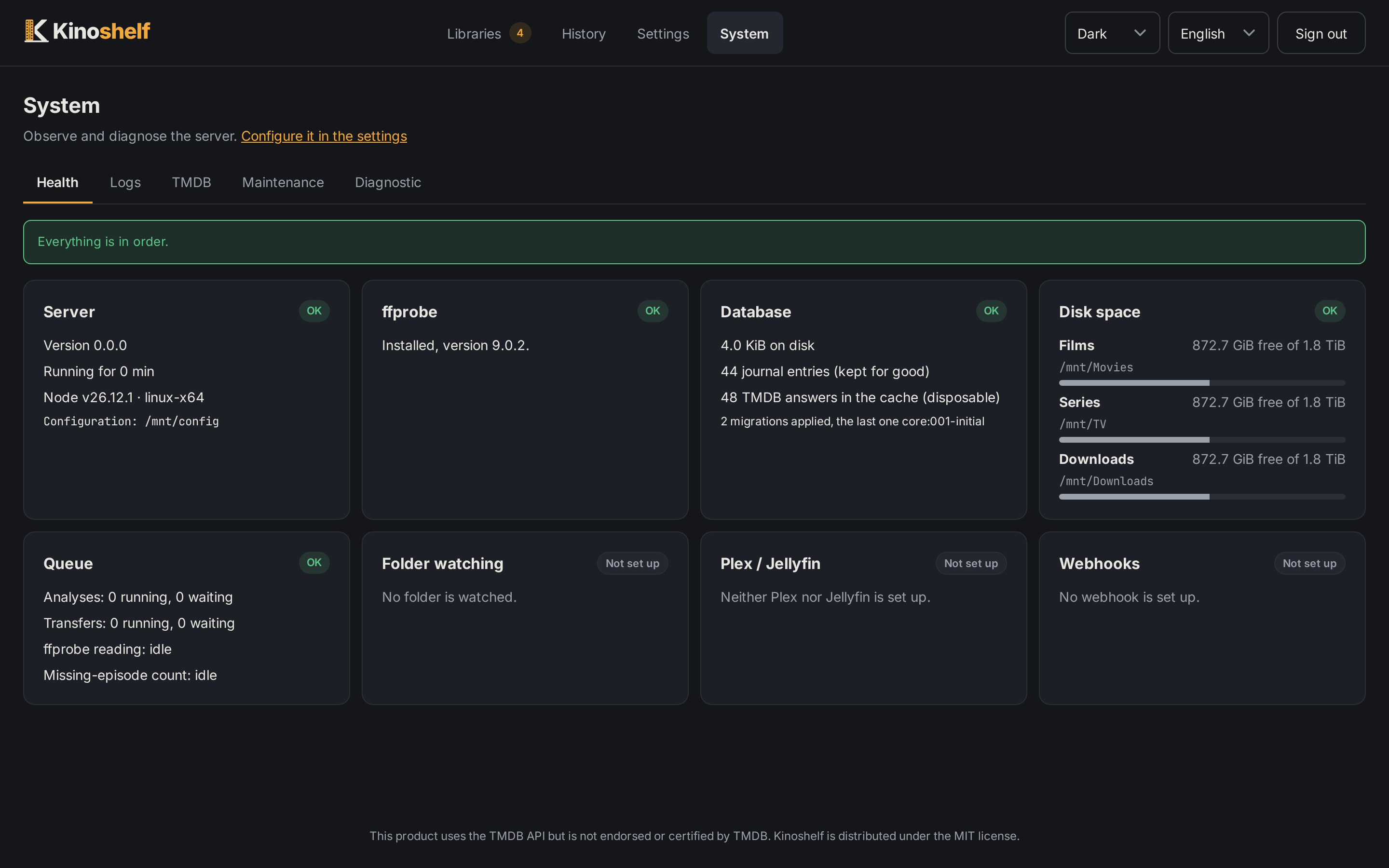
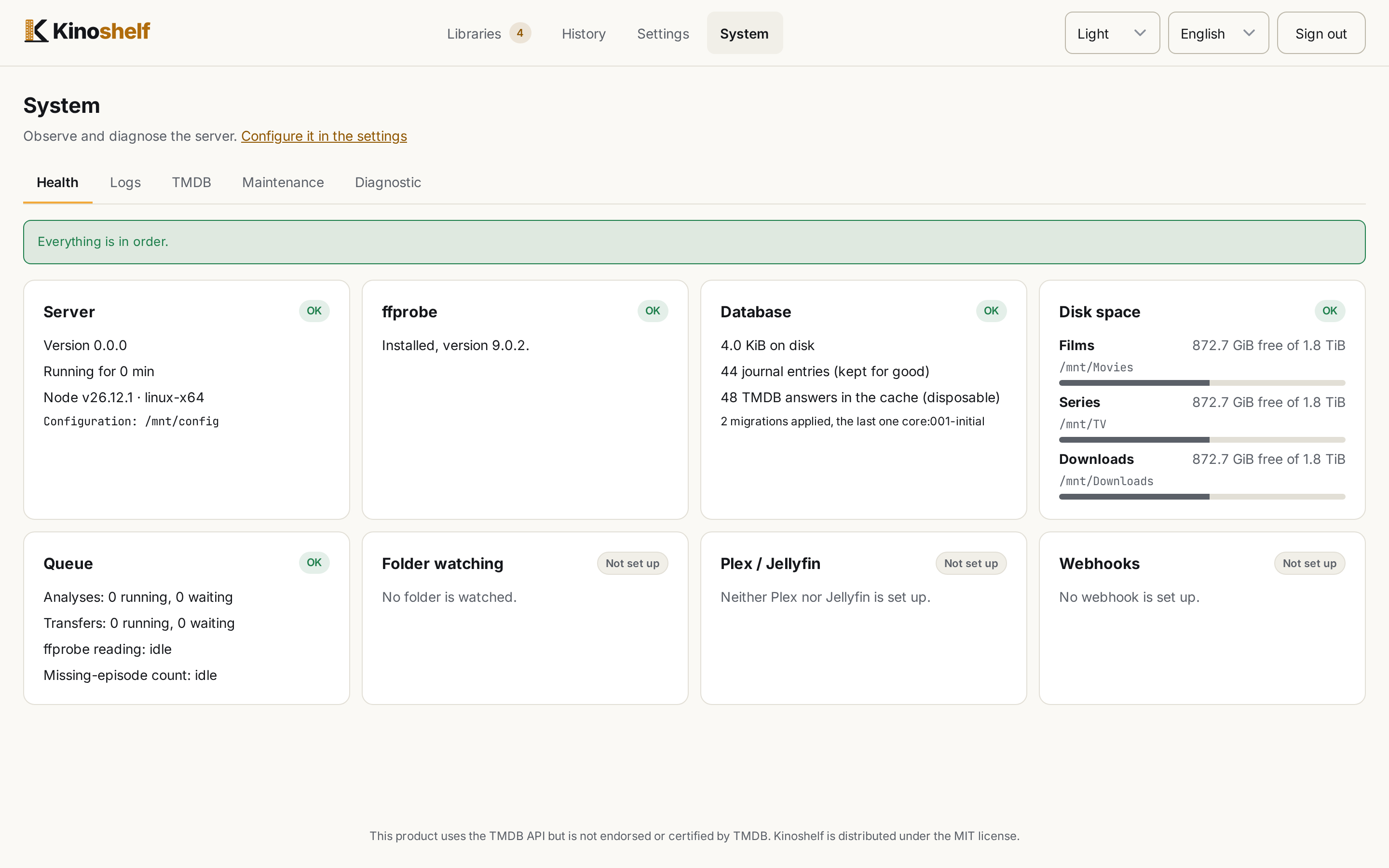
Eight cards, each ok, warn, danger or off (nothing set up: neither good nor wrong), with a cause for each problem and a link to the Settings section that fixes it:
| Card | What it watches |
|---|---|
| Server | the server itself |
| ffprobe | whether it is found and runs |
| Database | readable, its size, the migrations applied |
| Disk space | free space under the libraries and the config folder (warns under 5 %) |
| Queue | jobs waiting, running or failed |
| Folder watching | last and next pass, and the releases sent to the queue in the last 24 hours |
| Plex / Jellyfin | reachable, signed in, the last library refreshes and the folders that failed |
| Webhooks | the last deliveries and their attempts |
The System entry of the header carries a red badge when there is an error: an unreadable database, a library or watched folder that cannot be reached (an unmounted share), a Plex sign-in that plex.tv refused. A warning (ffprobe missing, videos ffprobe cannot read, disk almost full, a failing webhook, a media server refresh that failed) never turns the badge red.
Logs
The server's log, in the page and in <config>/logs/kinoshelf.log (rotated at 10 MB, 3 files kept, read back after a restart). Docker's own log (docker logs) shows the same lines.
- Each line has a component (
server,http,scan,transfer,watcher,tmdb,notify,collections,maintenance) and sometimes a job. - Filters: level, component, search text and period, all kept in the address, so a link opens the page already filtered.
- The view follows the log live. Opening a line pauses it, and the page then counts the newer lines.
- Download the log as a file.
- Level:
infoby default (orKINOSHELF_LOG_LEVEL). The page can raise it todebugat once, until the next restart: it is a way to find a problem, not a setting. Adebugline exists only while the level records it. - Secrets (the TMDB, API, Plex and Jellyfin keys, webhook addresses and headers) are wiped from every line when it is written, so the page, the file and the download are all clean.
TMDB
TMDB reports no quota, so Kinoshelf counts its own calls: those answered by the cache and those sent (retries included), by kind of call and outcome, with a median latency. Pick a period of 24 hours, 7 days or 30 days. The tab also lists the latest errors since the start (a 429, a 5xx, a network failure or a refusal). Counts are kept for 30 days.
Maintenance
Tidy up a library
One block per library organized in place. Analyse is a dry run whose report stays until the next one: folders to take out with their twin (an approximate twin, found by title and year rather than by name, is marked "To check"), folders left alone with the reason, images named after the video to rename or set aside. Tidy… asks for confirmation (nothing is deleted, the History undoes it, and another tool still managing the folder would write its files again), then runs the real task and links its batches.
- A folder with no video goes only if it holds nothing but NFO, images and subtitles and a sibling holding a video bears the same name (case, accents, punctuation, an id tag, a quality suffix do not count). Each file is moved to
<config>/replaced/, never deleted. - In a movie library, metadata named after the video (
<video>-poster.jpg,-fanart,-clearlogo) is renamed to Kinoshelf's names, or set aside when those exist.<video>.nfois handled only when you tick also handle<film>.nfo, beside amovie.nfoand in a folder of a single video. - Also bring the subtitles of the Subs, Sub and Subtitles folders next to their video (off by default, movie and series libraries): a video already named as the profile wants never went through the arrival rules, so its
Subsfolder stays. The files are named by language (<video>.fr.srt,.forcedand.sdhkept). A file with no language in its name, or a second one for a language already taken, stays where it is, and the report lists it with the reason. Undoable from the History. - The task runs in the background with a bar, and the page finds it again if you leave and come back.
The same tidy-up is available on the command line (kinoshelf tidy, see Command line).
Database and files
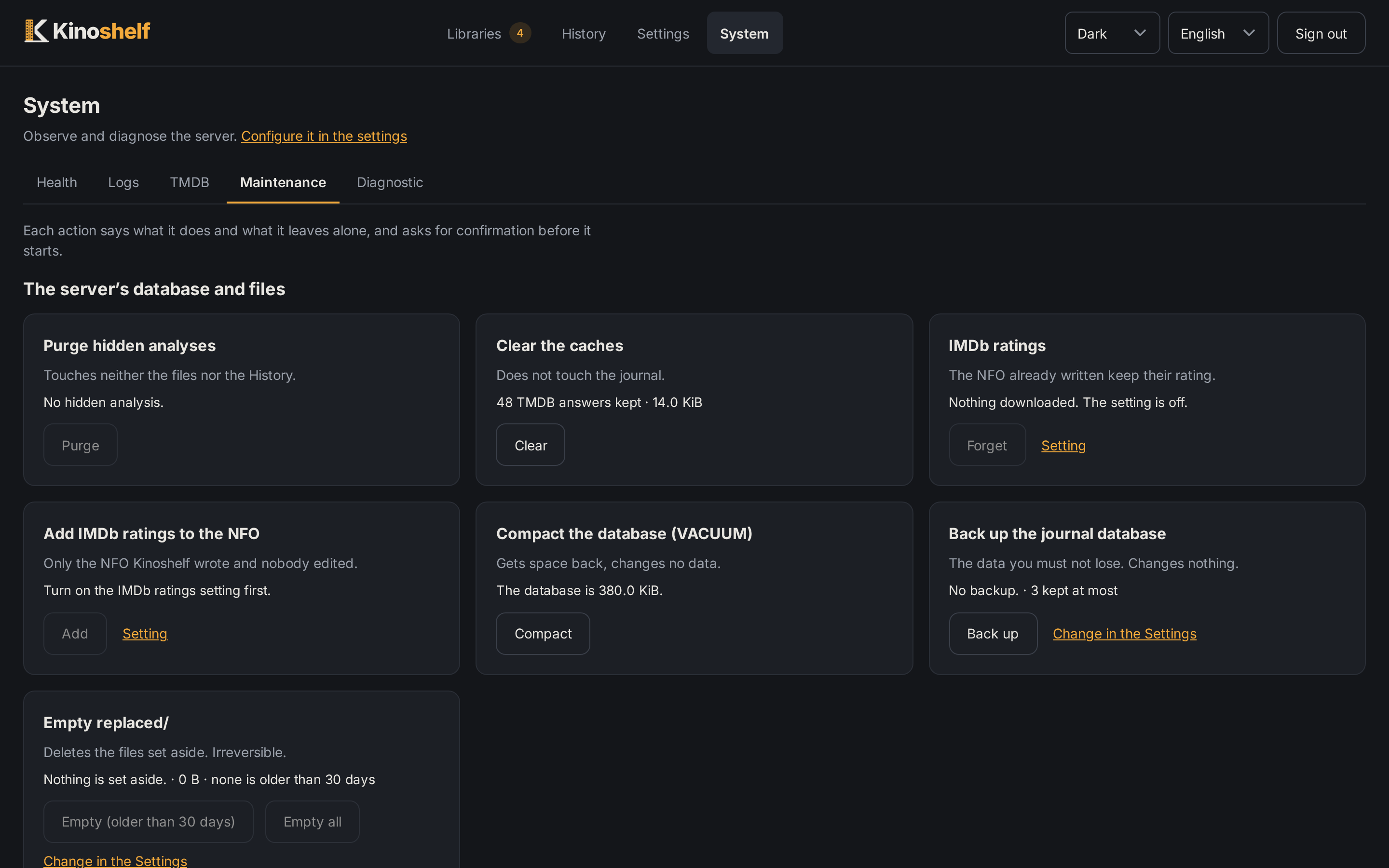
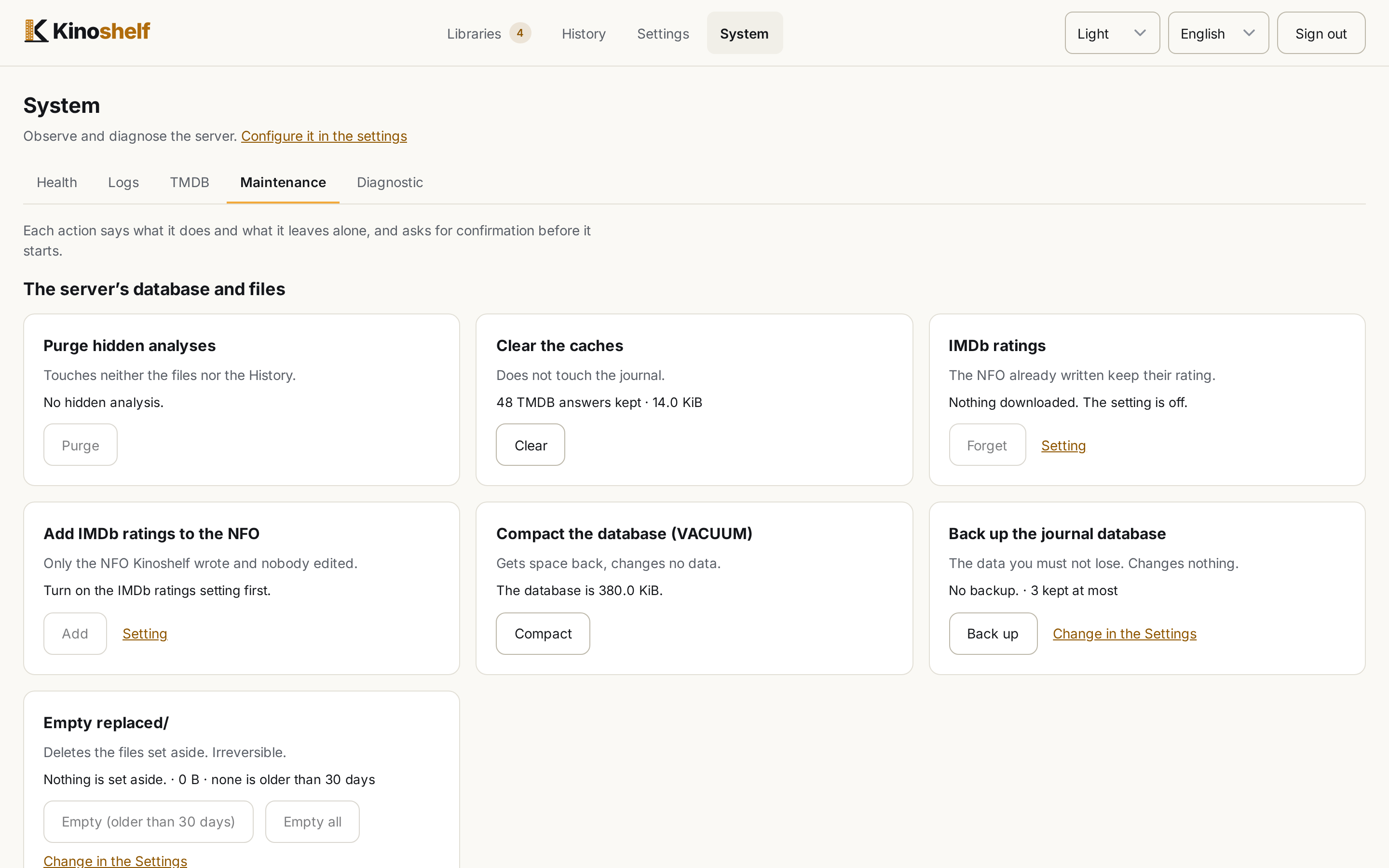
A grid of cards, each saying what it does and what it leaves alone, and asking before it starts:
- Purge hidden analyses: forgets at once the analyses the History hides, without waiting for the daily purge. Never one with a transfer, a failure, a file still waiting in Arrivals or a row a library's list reads.
- Clear the caches: empties the TMDB cache. The journal is untouched.
- IMDb ratings: shows what the database holds of IMDb's ratings file (how many, when it was downloaded, whether the setting is on), even with the setting off, and Forget drops it. While the setting is on, it is downloaded again within the hour. The NFO already written keep their rating.
- Add IMDb ratings to the NFO: inserts IMDb's rating in the NFO of every library that writes them (see IMDb ratings), as a background task with a bar. Only an NFO Kinoshelf wrote and nobody edited is changed; the old ones are set aside in
replaced/and the History undoes the whole batch. It needs the setting on and the file downloaded; it is refused while a scan, a transfer, a tidy-up or an undo runs. - Back up the database: a consistent copy to
<config>/backups/kinoshelf-YYYYMMDD-HHMM.sqlite(UTC), then the oldest beyond the number to keep (Settings › Retention, 3) are removed. - Compact:
VACUUM. Refused while a scan or a transfer runs, since it holds the server for its duration. - Empty replaced/: the one place Kinoshelf deletes for good. It removes the files set aside longer ago than the retention (30 days by default; or all of them), after counting the files, the bytes and the batches that could then no longer restore everything. It needs a ticked box and is refused while a scan, a transfer, an undo or a tidy-up runs. What is still there can still be restored by an undo; what is gone is skipped.
Database backup and compaction cannot run together.
Diagnostic
For a bug report: Download the diagnostic archive, a zip holding the versions (Kinoshelf, Node, system, ffprobe), the configuration without secrets (a secret is only said to be set), the health report, 7 days of TMDB counts and the 2000 newest log lines. A preview of the configuration is shown first. Read it before publishing: it holds your folder and file names. The page also links to the GitHub issue form with the versions already in its body.
Where files go
| Folder | What it holds |
|---|---|
<config>/config.yaml | the settings (secrets included; readable by its owner only) |
<config>/kinoshelf.sqlite | the journal, the library snapshot, jobs, and the TMDB cache |
<config>/images/ | posters served to the web, fetched once from TMDB |
<config>/replaced/ | files set aside by a replacement, a tidy-up or an image change |
<config>/collection-images/ | the images chosen for collections |
<config>/backups/ | database backups |
<config>/logs/ | the server log |